Quick answer
Xbox Wire says Grand Theft Auto VI can be played through Xbox Cloud Gaming even without a current-generation console. The stream runs on an Xbox One, or on an Xbox Series X|S when you would rather not install the game. A copy from the Xbox Store is required. Streamed sessions use Xbox Series S graphics settings.
Some Game Pass plans include up to 15 hours of cloud play a month. More cloud time can be bought. Remote Play is the other path: the game runs on your own Xbox Series X|S and streams to a phone, a laptop, a PC, or a handheld such as the Xbox ROG Ally.
Start it in the cloud
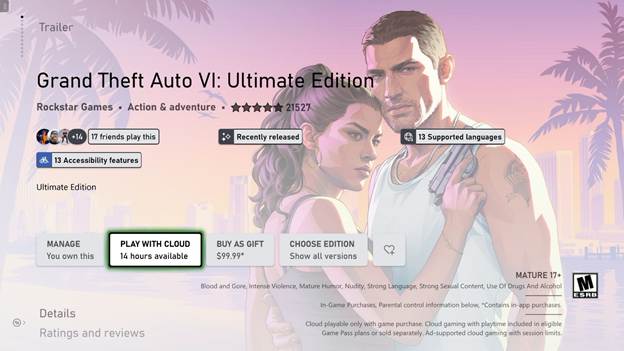
From an Xbox Wireless Controller, press the Xbox button, open the guide, and search for Grand Theft Auto VI.
Select Manage, then See in Microsoft Store. On that listing, select Play With Cloud.
Source notes
Xbox Wire says a wired Ethernet cable is the better connection. A wireless network with high bandwidth can still drop the audio and video.
Start Remote Play
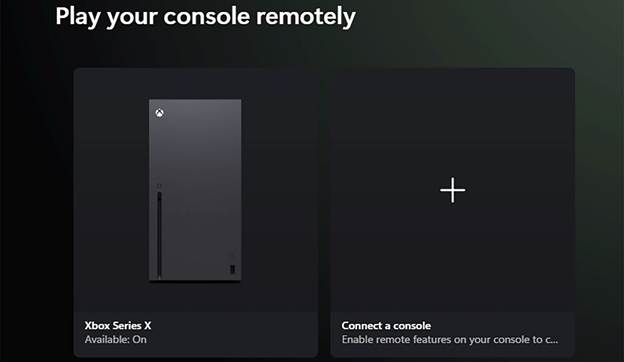
On the Xbox Series X|S, open Settings, then Devices & connections, then Remote features, and turn on Enable remote features.
On a phone browser, open play.xbox.com/remoteplay, choose the console, and select Remote Play on This Device.
Source notes
On a PC or an Xbox ROG Ally, open the Xbox app, click the profile icon, open Accessories & remote play, and select Remote play.
Source. Xbox Wire, 23 November 2026, https://news.xbox.com/en-us/2026/11/23/grand-theft-auto-vi-xbox-cloud-and-remote-play/